

Official Skill, full functionality
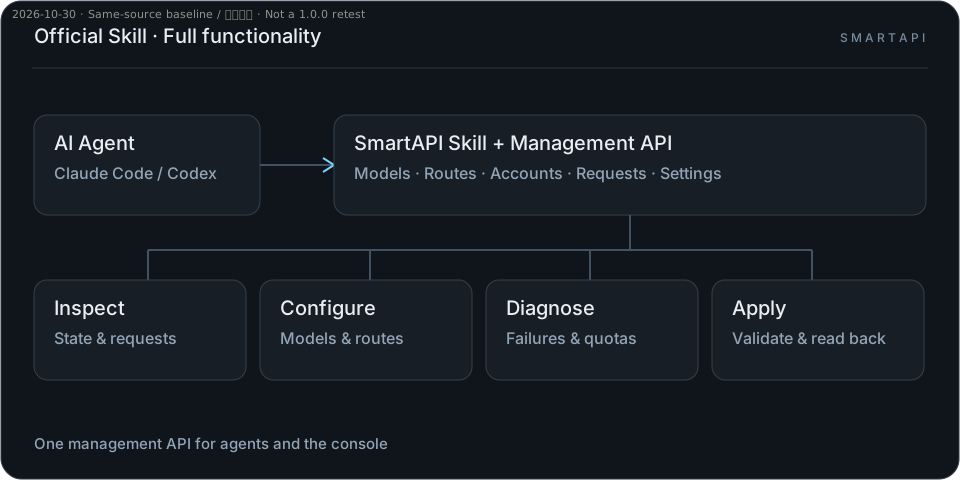
From models, accounts and routes to request diagnostics, quota management and daily operations, agents access SmartAPI’s full management capabilities through the official Skill.
Install the official Skill →Connect your clients to the accounts you already have. SmartAPI handles routing, waiting and recoverable failures.
From models, accounts and routes to request diagnostics, quota management and daily operations, agents access SmartAPI’s full management capabilities through the official Skill.
Install the official Skill →Define model endpoints for your business. Change upstream models, accounts and routes inside SmartAPI while keeping your application configuration unchanged.
Configure logical models →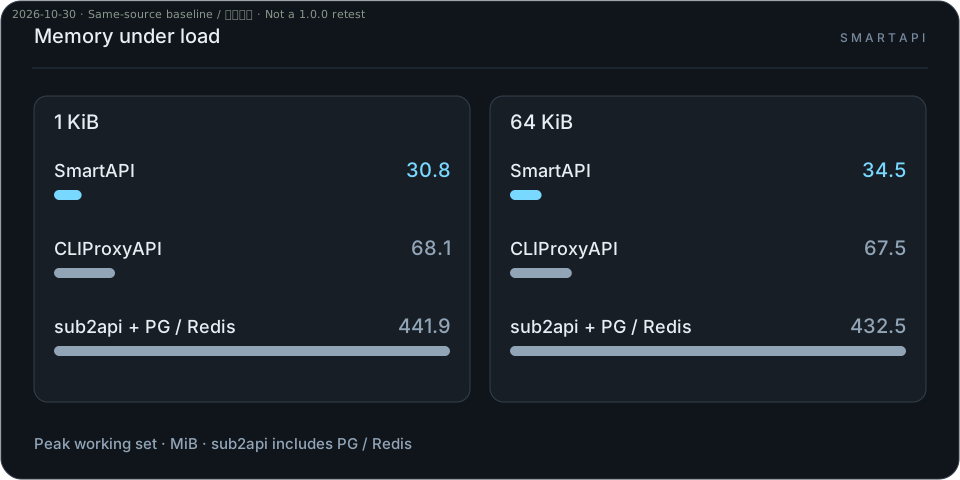
Peak working set: 30.8–34.5 MiB. About 49%–55% lower than CLIProxyAPI and 92%–93% lower than the sub2api stack in this benchmark.
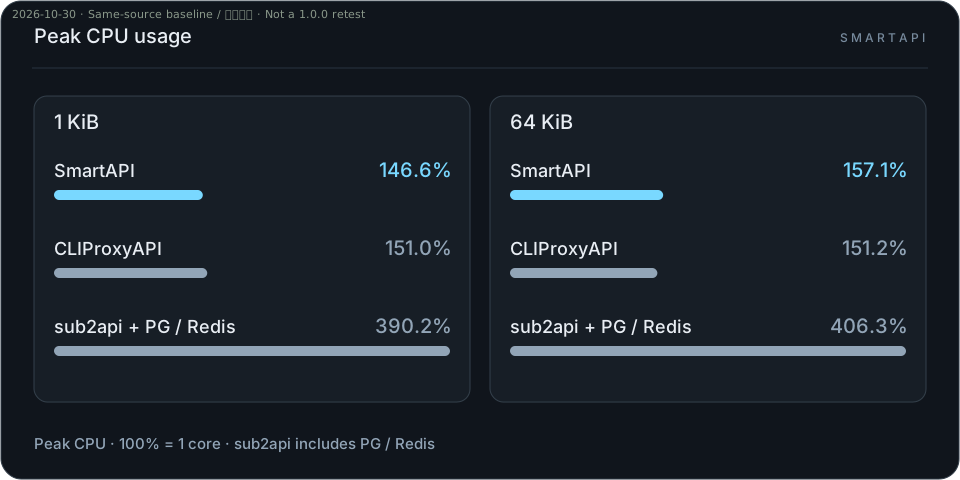
SmartAPI’s peak CPU usage is close to CLIProxyAPI and lower than the sub2api stack: 146.6%–157.1%, 151.0%–151.2% and 390.2%–406.3%, respectively.
Same-source baseline, not a 1.0.0 release-image test · OpenAI Chat Mock · ARM64 · concurrency 32 · 1 KiB / 64 KiB responses · 2026-10-30. Methods & full data →
When the primary upstream fails, automatically try a compatible fallback.
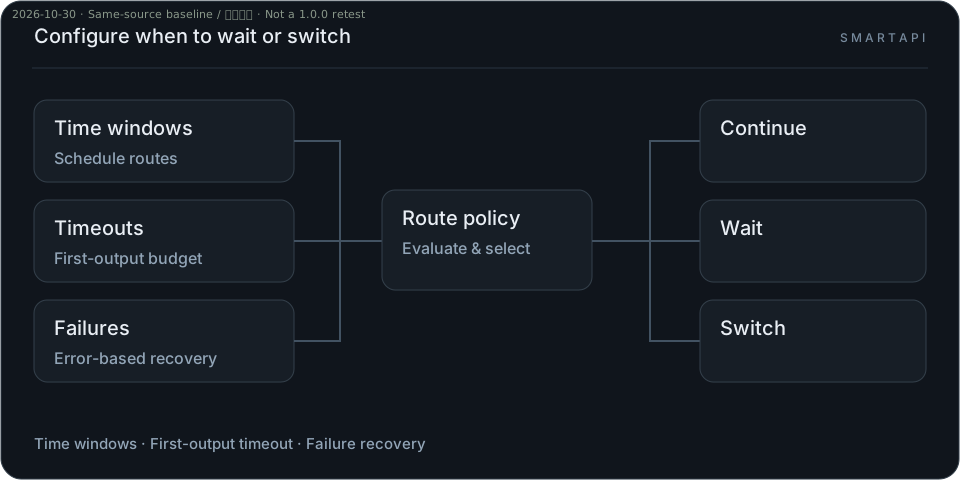
Choose when to wait or switch using time windows, first-output timeouts and failure types.
Configure switching policies →Wait within configured budgets when capacity is unavailable, then continue when it opens.
Automatically redeem available Codex reset credits and reduce requests to exhausted accounts.
Configure AutoReset →Create the administrator, add an upstream and issue a client key. No source build or separate database is required.
Installation, backups and upgrades →curl -fsSLo compose.yaml https://github.com/hulkbig/smartapi/releases/latest/download/compose.yaml
docker compose up -d --no-buildOpen localhost:17910 to initialize.
No. Use your own API keys or supported subscriptions. Calls, retries and capability probes can incur upstream charges.
Waiting is bounded by recovery budgets. A client’s Thinking display is not evidence of continuous upstream reasoning.
No. Some account drivers have offline coverage only. Verify tools, streaming and follow-up turns on your own routes.